- Payroll
- Compliance
TD7 employer returns in Cyprus: monthly and annual filing through Tax For All
Prepare Cyprus TD7 employer returns from payroll, reconcile the annual totals, fix errors and keep proof of filing and payment in Tax For All.
 Sumly team
- Published
- 6 min read
On this page8 sections
Paying a salary is only part of running payroll. The employer also has to account to the Tax Department for what it withheld, and pay what it owes. TD7 is where those employee-level figures meet the employer's tax account.
People still search for IR7, TD7 and TF7. Whatever instructions you follow, check the tax year, the type of return and the portal they show. An old tutorial for the annual return can describe a different process from today's monthly one in Tax For All.
Where do you file TD7?
In Tax For All, or TFA, the Tax Department's online portal. The Department moved TD7 submission and payment of the related withholding and contributions exclusively to Tax For All from 22 August 2025. Use the employer's correct tax account, and check that the person filing has the access they need.
This is separate from the Social Insurance Services process. A Social Insurance payment doesn't, on its own, settle PAYE in the employer's TFA account. PAYE is the income tax withheld from salaries. Keep separate evidence for each obligation. Our first-employee guide explains the wider registration and payroll setup.
Who needs the monthly and annual returns?
Every employer that withholds and pays income tax, GeSY contributions or both. GeSY is the national health system, and the Department's withholding-return announcement covers employee and employer GeSY contributions alike. A payroll with no PAYE can still have GeSY. Zero income tax doesn't prove you need no monthly return.
The annual employee return has its own scope in law. The current Article 6 requires the employer's annual statement to cover everyone in its service, part-time employees included, with their pay and identifying details. Don't limit the annual employee list to people whose salary produced PAYE.
Don't just skip an empty month. Check it against the employer's registration and the current instructions. If the company has stopped employing people, deal with its registration and any outstanding periods directly.
What should you prepare before opening the return?
A payroll pack. Build one for the period with employee identifiers, gross pay, relevant benefits, deductions, PAYE, GeSY and the employer amounts. Keep the payroll calculation and each employee's supporting declarations together. TD59 explains how employee information feeds the PAYE calculation.
| Check | Why it matters |
|---|---|
| Correct employee tax identifier | A correct total against the wrong person is still a wrong return |
| Starters, leavers and payment dates | The annual employee list must show the people actually paid |
| Bonuses and benefits | The monthly salary isn't always the whole payroll |
| Approved payroll version | A draft export can differ from the payslips and the ledger |
| Previous submissions | Refiling a period, or leaving out a corrected month, causes reconciliation problems |
Do these checks before you export a file. If you fix an identifier in a spreadsheet but leave it wrong in payroll, the same error comes back next month.
What is the filing sequence?
Payroll first, then the return, then the payment.
- Finish the payroll and approve the figures for the period.
- Open the employer account in TFA and choose the right employer return and period.
- Enter or import the information in the format the current return supports.
- Clear any validation messages and compare the totals with the approved payroll.
- Submit, then keep the acknowledgement and a copy of the filed figures.
- Check the liability TFA creates, pay it and keep the receipt.
The Tax Department says plainly that the monthly return creates the amounts due in TFA, so you must submit before you pay. An exported file, a saved draft and a successful submission are three different states.
How do you reconcile the annual return?
Employee by employee first, then the company total. Compare the approved payroll for every month with the monthly information you filed and any amendments. Look into every difference before you prepare the annual return.
Say eleven months show €3,000 gross pay and December shows €4,000 because of a bonus. The annual gross in this example is €37,000, not €36,000. If the payroll export includes the bonus but December's submitted return doesn't, you know exactly where the difference comes from. Fix the reporting problem underneath it. Don't adjust the annual number until it matches an incomplete monthly total.
Reconcile tax liabilities separately from cash payments. A payment made in January can settle a December liability, so looking only at bank payments dated within the calendar year can give you a misleading comparison.
Which deadline should you use?
The one for the exact period and tax year, including any extension. As checked on 20 September 2026, the official calendar lists 30 September 2026 for the annual employer withholding return for 2025. That is a dated deadline for that one return, not a permanent annual rule.
Use the Cyprus tax calendar to plan the work, and the current official notice to confirm the filing date. If a period is late or wrong, treat the return, the payment and any charges as separate items.
For planning future years, the current Article 6 sets the last calendar day of March following the tax year. Keep a specific extension, like the one for the 2025 return above, apart from that general rule.
How does Sumly connect payroll to the return?
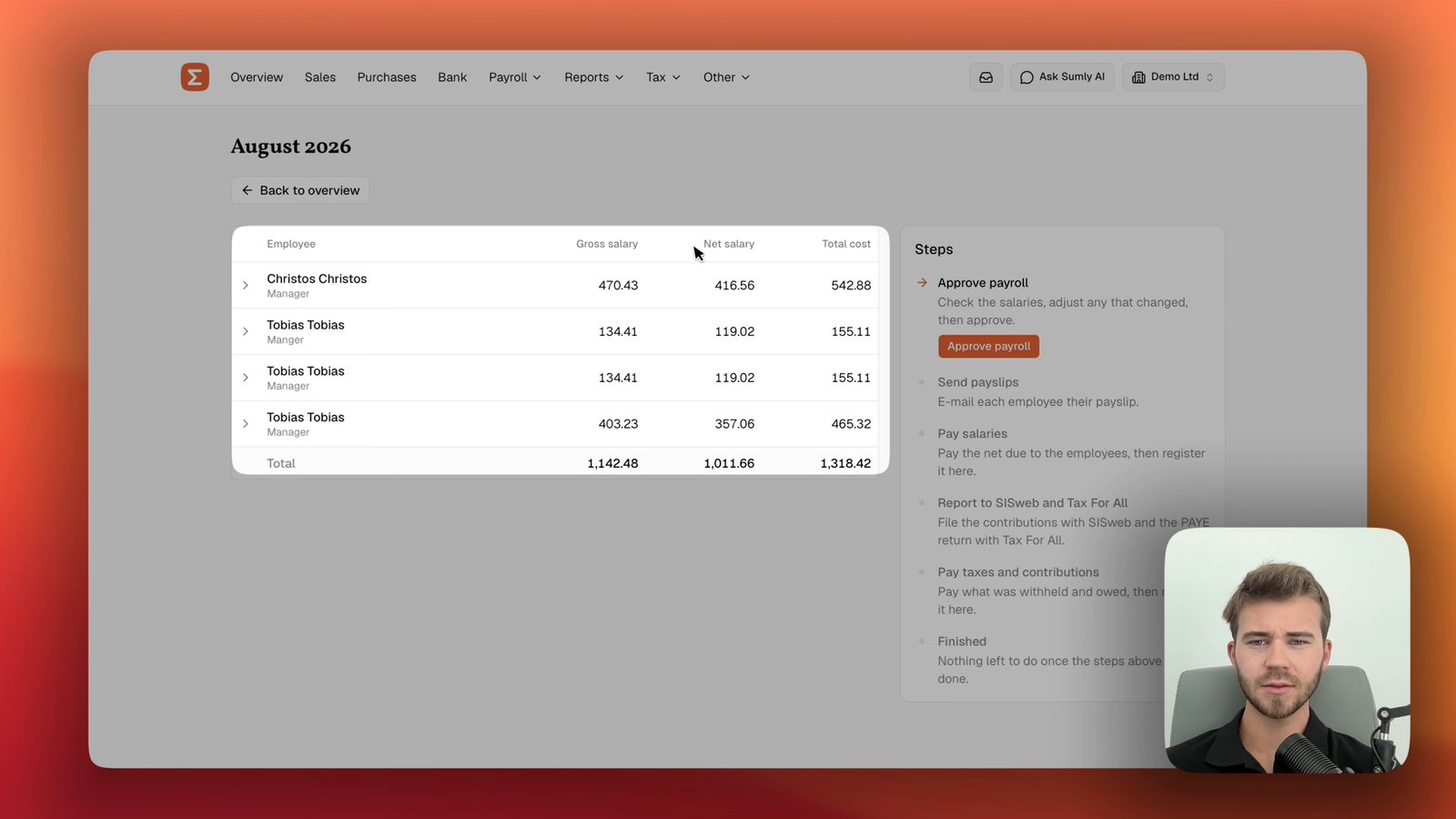
Sumly runs payroll and posts the payroll entries to your company's books. It prepares employer returns from the same payroll records, so you start from consistent figures when you review the filing and reconcile what was paid.
On Base, you review and submit the prepared return. On Plus, Sumly files it for you. On Premium, your Sumly certified bookkeeper reviews the records and handles submission. The monthly payroll tutorial shows how this works in the product. This guide covers the filing responsibility around it.
Common questions
Keep reading.

- Payroll
- Compliance
- Bookkeeping
Employee or contractor in Cyprus? Check the working relationship before you hire
Employee or contractor in Cyprus? Judge the arrangement on the real working conditions, then set up payroll or supplier bookkeeping with the right records.
Sumly team5 min read
- Company formation
- Compliance
Cyprus company certificates explained: build a document pack that matches the request
Match a bank or counterparty request to the right Cyprus incorporation, officer, shareholder, address, capital or good-standing document.
Sumly team6 min read
- Bookkeeping
- Compliance
Moving Cyprus bookkeeping from Excel: migrate a reconciled ledger instead of a pile of sheets
Prepare an Excel bookkeeping migration by checking source sheets, account mapping, duplicate records, cutover balances and a sample import.
Sumly team6 min read
Ready when you are.
Start a new company, or bring the one you already have.